
How to Make Money Fast With Kite (Even If You Hate Video Editing)
If you have ever watched a slick product demo and thought, “That must have taken a full film crew, a $3,000 camera, and a person named Luca who only speaks in color grading,” you are not alone.
Most people who could sell something online do not fail because their product is bad. They fail because their demo looks like a sad screen capture from 2009.
Kite fixes that.
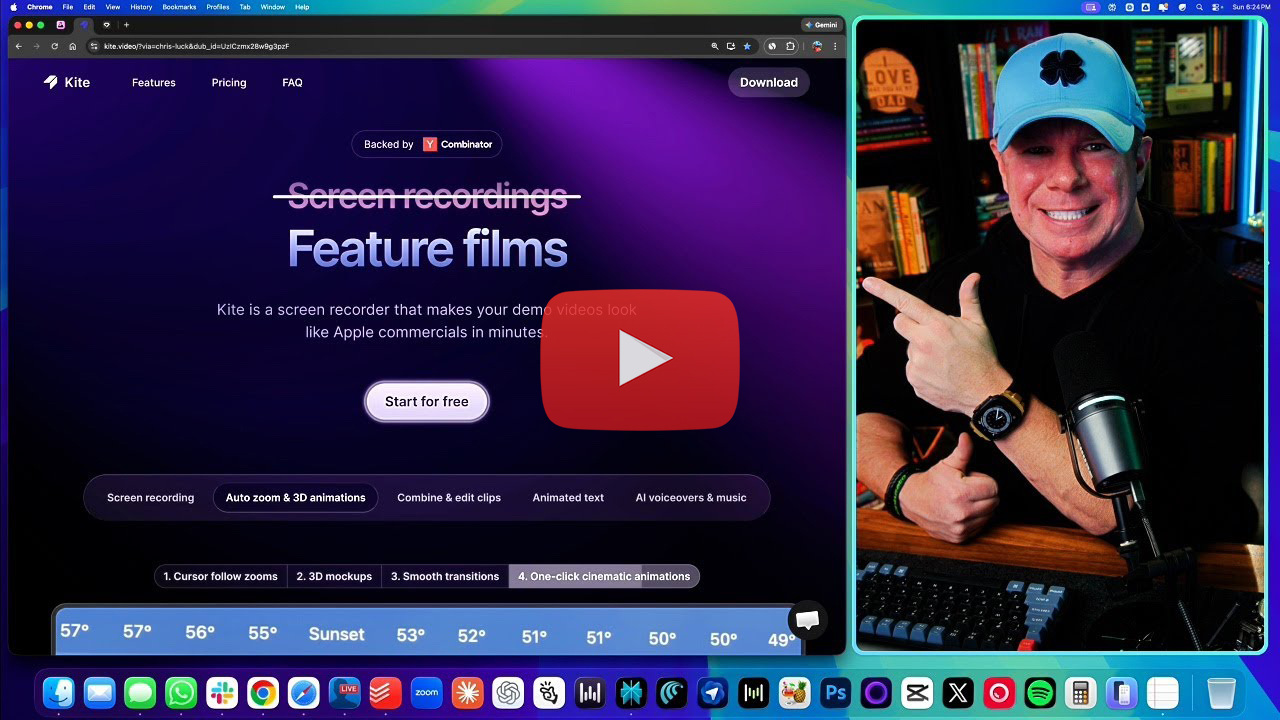
Kite is an AI screen recorder that turns normal screen recordings into “Apple commercial” style demo videos in minutes. It follows your cursor like a camera operator, auto-zooms into the right moments, drops your demo into 3D MacBook and iPhone mockups, adds animated text, syncs to music, and even gives you AI voiceover so you do not have to talk at all.
And that means you can sell a service that feels high-end even if you personally feel like a raccoon who learned marketing from YouTube.
This guide is built to be show-and-tell. You will see mini demo scenes, copy-paste scripts, pricing menus, and outreach messages that you can use tonight.
The “Money Fast” Promise (And What It Actually Means)
Making money fast with Kite does not mean you become a millionaire by Thursday. It means you can create something that looks valuable quickly enough that someone will pay you for it this week.
Here’s the real “fast” version:
You make 2–3 polished demo samples today.
You send 30 short outreach messages tomorrow.
You book 1–2 small paid gigs in the next 48 hours.
You turn those into repeat work over the next month.
This is not theory. It is the same basic formula used by anyone who sells a creative service: show proof, offer something specific, make it easy to say yes.
Kite simply makes the proof look expensive.
What “fast” really looks like: 48 hours to first paid demo
Your first money is usually not a $2,000 project. It is a “starter” gig someone buys because it is low risk and solves a problem they already have.
Examples:
“Can you make my landing page demo look professional?”
“Can you make a 30-second app preview for my App Store page?”
“Can you turn this messy Loom into something we can run as an ad?”
These are real needs. Founders and marketers are constantly shipping features and constantly needing content.
Your job is to be the person who makes them look good quickly.
The three levers that make Kite profitable: speed, polish, reuse
Speed: You can produce a polished demo in under an hour.
Polish: The output looks premium, even if the input was ordinary.
Reuse: One recording can be repurposed into multiple assets, so you can charge for “packages” instead of “one video.”
If you want to make money fast, packages beat one-offs every time.
Who this is for (and who should run away politely)
This is for you if:
You can follow simple steps.
You are willing to message people first (you do not need a big audience).
You want to sell a service that feels premium without being a professional video editor.
This is not for you if:
You refuse outreach.
You want “passive income” but also refuse to make anything.
You will quit if the first 10 messages do not get replies.
Demo Scene: The 60-second “Apple-ish” demo blueprint (what you’ll build today)
Here is the first sellable sample you will build. Save this. Screenshot it. Put it on your wall next to your motivational quote and your emergency snacks.
The 60-second demo structure
0–5s: Title scene (one line of text)
5–20s: Problem moment (what is annoying right now)
20–45s: The feature in action (3 clicks that prove it works)
45–55s: Result moment (before vs after, or the “done” state)
55–60s: Simple next step
That is it. One minute. One story. Three clicks.
If you want to see how this gets used in real marketing campaigns and real creative workflows, the AIville workshop is worth watching. It is a practical walkthrough style session where the “what to do next” becomes very obvious.
What Kite Does That Turns Demos Into Sales Tools

A normal screen recorder captures everything and expects the viewer to pay attention.
Kite does something smarter: it guides attention.
Auto-zoom and cursor tracking: your screen recording gets a cameraman
Kite tracks every mouse click and keyboard tap and then automatically zooms and pans with smooth camera movement.
This matters because most demos fail for one reason: viewers cannot tell where to look.
Kite removes that problem.
3D device mockups: instant “Apple commercial” vibes
Instead of a flat rectangle of your screen, Kite can place your recording onto 3D devices like a MacBook or iPhone. That instantly upgrades perceived quality.
People do not just buy what something does. They buy what it feels like.
A demo inside a rotating device mockup feels like a real product launch.
AI voiceover + music: you can sell videos without using your own voice
This is the quiet creator’s dream.
You can write a script, let Kite narrate it with text-to-speech voiceover, add music from the built-in library, and never record your own audio.
No microphone. No awkward “um.” No dog barking exactly when you say the important line.
Browser editor: trim dead space and keep only the money moments
Kite lets you trim pauses, cut loading screens, adjust playback speed, combine multiple recordings, and insert text scenes between clips.
You do not need a film degree. You need the ability to delete boring parts.
Brand kit + templates: one setup, then you pump out assets like a factory
Upload a logo, choose colors and fonts, pick a template, and your output starts looking consistent fast.
Consistency makes you look professional. Professional makes pricing easier. Pricing easier makes money faster. This is the circle of life, but with invoices.
Demo Scene: Ugly screen recording → launch-quality in 7 clicks (before/after)
Imagine you recorded a basic 45-second screen demo. Flat screen. No focus. No vibe.
Now do this in Kite:
7-click transformation path
Import or record your screen
Choose a “Product Launch” or “Demo” template
Turn on auto-zoom or cursor-follow
Select a 3D device mockup (MacBook or iPhone)
Add a simple title text scene at the start
Add music (low volume, not dramatic)
Export
What changed?
Viewer attention is guided automatically
Your demo looks like it belongs on a homepage
The whole thing feels premium instead of homemade
This is what you are selling: perceived quality, fast.
Your Fastest Path to Cash: Pick One of These 5 Offers
Do not offer “video editing services.” That is vague and attracts clients who want 47 revisions and emotional support.
Offer a specific outcome.
Offer 1: “24-Hour Product Demo Video” for SaaS founders
Who buys: founders, micro-SaaS builders, indie hackers
Pain: product is good, demo is embarrassing
Deliverable: 1 polished 60–90 sec demo + 1 short cut for social
Offer 2: “App Store / Landing Page Video Kit” for mobile apps
Who buys: app developers, small teams
Pain: app previews are boring and hurt conversions
Deliverable: 1 App Store style preview + 2 short variants
Offer 3: “UGC-Style Screen Demo Ads” for eCommerce and DTC
Who buys: brands running ads
Pain: ads need constant creative, editing is slow
Deliverable: 3 hooks + 3 short demos, voiceover optional
Offer 4: “Feature Release Video” for startups shipping weekly
Who buys: teams shipping updates often
Pain: they announce features with text posts nobody watches
Deliverable: 30–60 sec update demo, branded, consistent style
Offer 5: “Course + Tutorial Clips” for coaches and creators
Who buys: course creators
Pain: lesson trailers and onboarding clips are always missing
Deliverable: 3 short clips per module or launch week
Demo Scene: The “deliverables menu” that makes clients say yes fast
Paste this into a message, a gig listing, or a simple doc.
Starter ($99–$149)
1x 30–60 sec demo (16:9)
Auto-zoom + device mockup
1 revision
Standard ($199–$299)
1x 60–90 sec demo (16:9)
1x 15 sec short cut (9:16)
AI voiceover (optional)
2 revisions
Premium ($399–$599)
1x 60–90 sec demo (16:9)
2x short cuts (9:16 and 1:1)
AI voiceover + music
Brand kit setup
2–3 revisions
This menu makes the decision simple. It also quietly protects your time.
The 3-Day Sprint to Your First Client (No Audience Required)

You do not need followers. You need proof and outreach.
Day 1: Build 3 portfolio samples in 90 minutes
Make three samples, each aimed at a niche:
a SaaS dashboard demo
a mobile app feature demo
a course or tutorial clip
These can be fake products. You are not selling the product. You are selling the style and outcome.
Day 2: Write 30 outreach messages that don’t sound desperate
Your message should be short, specific, and low-pressure.
The goal is not to convince them with paragraphs. The goal is to get them to watch your sample.
Day 3: Close with a tiny, low-risk starter offer
People say yes when:
they know what they get
the price is reasonable
the turnaround is fast
the risk feels low
Demo Scene: Build your first sample while reading this
Pick one fake product:
CalmDesk (productivity app)
PulseCRM (simple CRM)
TutorFlow (course platform)
ShopBoost (Shopify plugin)
Now follow the 60-second blueprint:
Title: “Meet CalmDesk”
Problem: “Tasks are everywhere”
Feature: “One-click capture, auto organize, daily plan”
Result: “Day planned in 10 seconds”
Next step: “Try it today”
You now have a sample.
Demo Scene: Copy-paste outreach that gets replies (3 DMs + 1 email)
DM 1 (founder)
Hey [Name], I made a 45-sec “Apple-style” demo example. If you want, I can do one for your product this week. Want to see a sample?
DM 2 (marketer)
Quick one. I turn normal screen recordings into launch-quality demos (auto-zoom, device mockups, voiceover). If I make a free 10-sec sample from your homepage flow, would that help?
DM 3 (agency/dev shop)
Do your clients ever ask for a product demo video last minute? I can deliver polished screen demos in 24 hours. Want a sample link you can keep on hand?
Email subject
Quick demo video idea for [Product]
If you like seeing how these messages are used in the wild, AIville workshop sessions are useful because they show the real workflow and the real pacing. You end up thinking, “Oh, that is how they move from tool to offer to client.”
Pricing That Makes This Worth Your Time (And Stops “One More Tweak”)

Pricing is where new freelancers accidentally adopt a pet project called “Endless Revisions.”
Let’s not do that.
Simple pricing ladder: Starter, Standard, Premium
Use the menu above. Keep it simple. People buy clarity.
Add-ons that people actually buy
Extra cutdowns (15 sec, 30 sec)
AI voiceover script polish
Captions styling
Extra device mockup variants
Revision limits without sounding like a villain
Revisions should be about small changes, not rewriting the entire concept.
Two revisions included. Additional revisions are $X each.
Say it calmly. Clients respect boundaries when you act like it is normal.
“Watermark math”: when to stay free vs when to upgrade
Use the free plan to build samples and get your first win. Once someone pays you, you upgrade so you can deliver watermark-free exports consistently.
Demo Scene: The one-page pricing card you can screenshot and use today
Turnaround
Starter: 24–48 hours
Standard: 48 hours
Premium: 72 hours
Revisions
Starter: 1
Standard: 2
Premium: 3
What I need from you
product link and access, or a raw screen recording
logo/colors (optional)
the 3 steps you want shown
Step-by-Step: The Kite Workflow That Pumps Out Sellable Videos
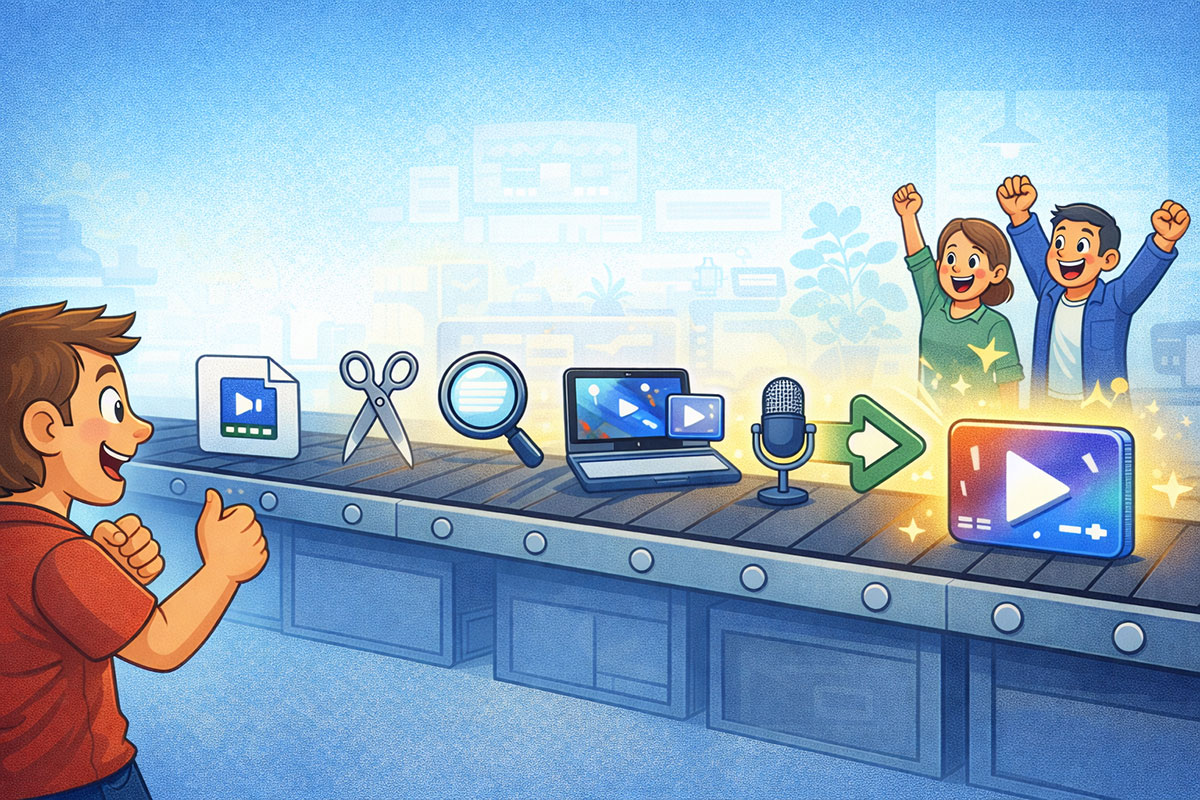
This is where “easy” becomes obvious.
Step 1: Record the clean take
Close tabs. Turn off notifications. Know the 3 clicks you want to show.
A clean recording is half the battle.
Step 2: Turn on the cinematic settings
Let Kite follow your cursor. Move with intention. Do not do the “where is my tab” tour.
Step 3: Drop into 3D device mockups
Choose the device that matches your audience:
MacBook for SaaS
iPhone for apps
both for ecosystem products
Step 4: Add text scenes
Use text scenes like chapter titles:
“The problem”
“The fix”
“The result”
Short. Clear. One idea.
Step 5: AI voiceover script formula
Write like you talk, but cleaner.
Short sentences. Clear verbs. No corporate poetry.
Step 6: Music syncing that does not feel like a wedding slideshow
Pick music that supports, not dominates. Lower volume. Keep it subtle.
Step 7: Export settings for each platform
Export:
16:9 for websites and YouTube
9:16 for shorts and reels
1:1 for certain ad placements
Demo Scene: The 60-second script that sells (fill-in-the-blank)
Copy this and use it as your standard:
“If you have ever struggled with [pain], you are going to like this.
With [product], you can [one-line benefit].
Watch this: I click [action], and it instantly [result].
Now I can [outcome] in under [time].
If you want to try it, [simple next step].”
Demo Scene: The no-login workflow (client records, you polish)
If you cannot access their product:
You send a 3-step recording checklist
They record their screen
You polish it in Kite and deliver a premium demo
Here is the exact message:
“Could you record a quick screen video showing these 3 steps:
Start on the homepage
Click into [feature] and complete one action
End on the ‘done’ screen
No need to talk. Just move slowly. I’ll add voiceover and polish.”
This removes the biggest barrier to getting paid: access.
Where to Find Buyers Fast (Even If You Have Zero Followers)

You need places where people already have products and already need demos.
The “new feature” hunting method
Search for people announcing releases. They need visuals.
Fiverr and Upwork gigs that match Kite’s strengths
Search terms:
SaaS promo video
app demo video
screen recording edit
product explainer video
Position yourself as “fast, polished, template-driven.”
Cold DM without being weird
Short message. Sample link. One offer. Done.
Agencies and dev shops: the hidden goldmine
Agencies always need content. They just do not want to produce it.
Local businesses with software needs
Real estate teams, clinics, gyms, mortgage offices. They all have portals and dashboards. They all need simple, clean “how it works” videos.
Demo Scene: A 15-minute lead hunt (exact search terms + what to look for)
Try:
“we just shipped” on LinkedIn
Product Hunt newest launches
“launching today” on X
Look for:
clear product screenshots
active founders
posts with engagement
Those people already want attention. A better demo helps.
10 Ready-to-Sell Niches That Pay Quickly

Pick one niche now. You can specialize later.
Micro-SaaS founders who can’t edit
Shopify apps and plugin developers
AI tools and Chrome extensions
Coaches selling programs who need proof videos
Real estate and mortgage teams showing portals
Health and fitness apps
Crypto tools (carefully, and only legit)
B2B service companies with dashboards
Recruiting platforms and HR software
Course creators who need lesson trailers
Demo Scene: Pick one niche and build a sample in their language
Example: SaaS founders care about:
onboarding speed
churn reduction
time saved
conversion
So your text scenes become:
“Onboarding in 30 seconds”
“Feature that saves time”
“Result: done”
Speak their language, not your tool’s language.
Scripts and Templates You Can Copy-Paste (So You Start Today)

5 DM templates for cold outreach
“Want a quick sample?”
Hey [Name], I make polished product demos from screen recordings (auto-zoom, device mockups, voiceover). Want a 10-sec sample based on your homepage flow?“Shipping weekly?”
Saw you shipped [feature]. Want me to turn it into a 30–60 sec launch-style demo you can post this week?“Ads angle”
If you are running ads, I can turn one screen recording into 6 ad assets. Want to see an example?“Agency helper”
If a client asks for a demo video last minute, I can deliver in 24–48 hours. Want a sample link to keep on hand?“Friendly and simple”
I can make your product demo look like a keynote video without you editing anything. Want to see a 45-sec example?
3 email templates for warm leads
Email 1
Subject: quick demo idea for [Product]
Body: I recorded a short sample showing how a screen demo can look more premium with auto-zoom and device mockups. If you want, I can make a starter version for [Product] this week. Want the sample link?
Email 2
Subject: launch video in 48 hours
Body: If you have a feature release coming up, I can turn your screen recording into a launch-quality video with captions, music, and optional AI voiceover. Starter version is fast and simple. Want details?
Email 3
Subject: one recording, six assets
Body: I can take one screen recording and turn it into a homepage demo plus short versions for reels and ads. If you tell me your top feature, I can suggest the best 60-second structure. Want that?
The 60-second demo script (Problem → Click → Result)
Use the fill-in-the-blank script from earlier. Do not overthink it.
The landing page video script (Before → After → next step)
Before: show the messy workflow
After: show the clean workflow
Next step: one simple action
The feature update script (What’s new → why it matters → how to use)
“What’s new” in one sentence
“Why it matters” in one sentence
“How to use it” in three clicks
Demo Scene: One recording → 6 assets (repurposing map)
From one 60-second recording:
60s homepage demo (16:9)
30s ad cut (16:9)
15s reels cut (9:16)
10s hook version (9:16)
GIF loop of the wow moment
tutorial clip (how-to)
This is how you increase value without increasing work.
If you want a deeper set of examples, the AIville workshop is great for seeing how pros turn one tool into multiple monetized outputs without spiraling into perfectionism.
How to Make Clients Happier (And Protect Your Sanity)

The intake checklist: what you must collect before recording
What is the one feature we are selling?
Who is the viewer?
What are the 3 clicks we must show?
Any brand colors or logo?
Where will this video be used? Homepage, ads, socials?
The no-login workaround (client records, you polish)
Use the script above. It makes projects easier and faster.
Approvals: how to avoid endless feedback loops
Get approval on:
the script
the structure
the “wow moment”
Then polish.
File delivery that feels premium
Deliver:
the main video
the short cutdowns
a note that explains what each file is for
Make clients feel like they bought a system, not a file.
Demo Scene: The friendly boundaries message
“Happy to make tweaks. Two revision rounds are included. After that, it’s $X per round so we keep this moving fast.”
Simple. Calm. Professional.
Scaling This Into Weekly Recurring Income

Monthly retainer packages: 4 videos/month, 8 videos/month
4 videos/month is perfect for “one feature a week.”
8 videos/month is perfect for “one feature plus extra cutdowns.”
The “feature drop” subscription for SaaS teams
If they ship weekly, you get weekly work. Predictable income.
Repurposing: 1 recording becomes 6 assets
This is how you scale without burning out.
Hiring help without hiring help
Create a simple checklist:
record rules
script template
export settings
delivery folder structure
You can hand that to a contractor later.
Demo Scene: The retainer pitch in 6 sentences
“We can do this once, or we can turn it into a monthly system. If you ship features weekly, I’ll deliver one polished demo per week. Same style, same branding, same fast turnaround. It keeps your marketing fresh without you thinking about it. Want to try it for one month?”
Common Mistakes That Make Kite Videos Look Cheap

Too much zoom, too much drama
Auto-zoom is powerful. Use it like salt, not like a fire hose.
Text overload
Your demo is not a Wikipedia page. One line at a time.
Bad pacing
Cut loading screens. Trim pauses. Speed up boring parts.
AI voiceover uncanny valley
Use shorter sentences, add natural pauses, and avoid weird corporate words.
Demo Scene: “Fix it in 2 minutes” checklist
cut loading
reduce text
lower music volume
slow down the wow click slightly
keep titles short
FAQ

Is Kite really free?
The free plan is enough to build samples and test workflows. For consistent watermark-free client delivery, plan to upgrade once you have paying work.
Can I use it on Windows?
Kite’s workflow is designed to be browser-friendly for editing and cloud rendering. Desktop capture options vary, but the core idea is quick creation without heavy installs.
What should I charge if I’m brand new?
Start with Starter pricing you can deliver fast, then move up as soon as your workflow is smooth.
Do clients care if it’s AI voiceover?
Most clients care about clarity and speed. If it sounds natural and matches brand tone, they usually love it.
What’s the fastest niche to start with?
SaaS founders and app developers often move fast and need demos constantly.
Final Thoughts: Your First Dollar With Kite Is Mostly About Repetition

The “3 samples + 30 messages” rule
Make three samples. Send thirty messages. Improve as you go.
Why speed beats perfection for the first week
Your goal is not the perfect demo. Your goal is your first paying client.
Your next step: pick one offer and ship one sample today
Pick one niche. Make one 60-second sample. Send five messages tonight.
That is how “fast” actually happens.
If you want to accelerate the learning curve, watch the AIville workshop and pay attention to how the workflow is packaged into simple offers and repeatable deliverables. Once you see that, it becomes much easier to turn “cool tool” into “consistent income.”
Leave a Reply